Tag: Web Development

  • Why Your App’s “Brain” Should Live on the Backend, Not the Frontend

    Why Your App’s “Brain” Should Live on the Backend, Not the Frontend

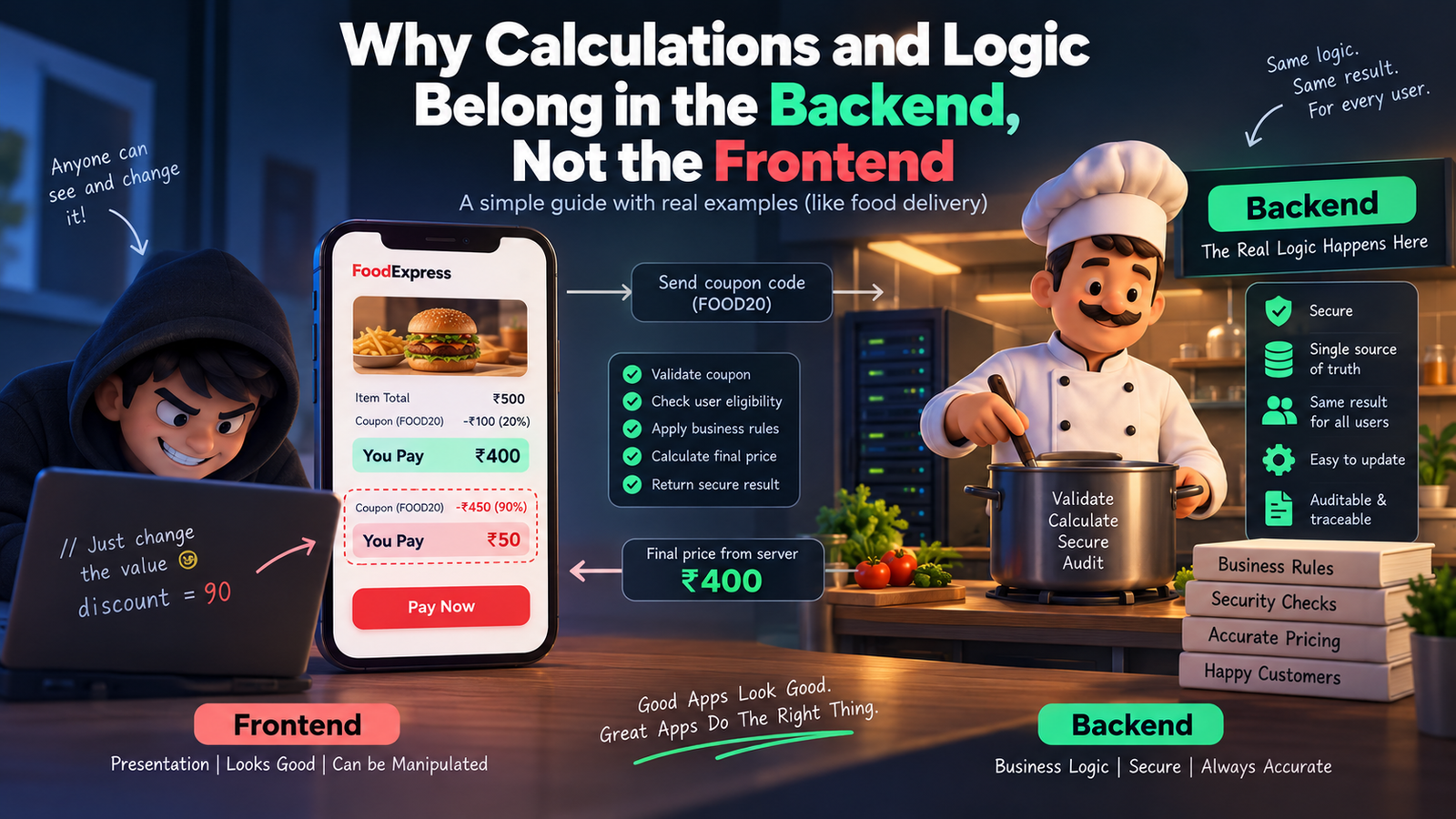
    Picture this. You’re building a food delivery app. A customer orders food worth ₹500, adds a coupon for 20% off, and the frontend proudly shows “You pay ₹400.” Cool, right?

    Except… what if the customer opens the browser console, changes that 20% to 90%, and hits pay? If your discount math lives only in the frontend, you just lost ₹450 on that order. This one scenario explains almost everything about why calculations and logic belong on the backend, not the frontend.

    Let’s break this down in the friendliest way possible.

    First, What Do We Even Mean by “Frontend” and “Backend”?

    Think of a restaurant. The frontend is the waiter — the person you see, the menu you touch, the smile you get when your food arrives. The backend is the kitchen — where the actual cooking happens, where the chef decides how much salt goes in, how long to fry something, and whether an ingredient has gone bad.

    You never let a customer walk into the kitchen and decide their own recipe. Similarly, you never let the frontend decide your app’s real logic. The frontend’s job is to display things beautifully. The backend’s job is to decide things correctly.

    Why Frontend Logic is Risky (The Disadvantages)

    1. Anyone can see and change it. Everything running in the browser — your JavaScript, your calculations, your “if-else” rules — is visible to anyone who opens Developer Tools. It’s like writing your restaurant’s secret recipe on a whiteboard facing the customers. A curious (or malicious) user can tweak prices, unlock premium features, or bypass validations in seconds.

    2. It’s easy to manipulate. Since the code and data both sit in the user’s browser, a smart user can literally rewrite your app’s math using browser console commands. Discounts, wallet balances, loan EMI calculations — all of it becomes editable by whoever’s using the app.

    3. Different devices, different results. Frontend logic runs on the user’s device — phone, laptop, tablet — each with its own browser, its own quirks, sometimes even outdated app versions. If your logic lives there, two users could get two different answers to the same calculation, depending on their device.

    4. No single source of truth. If ten different frontend clients (web, Android, iOS) all calculate the same thing independently, you’ll eventually get ten slightly different answers. Bugs creep in. Trust breaks down.

    5. Sensitive data gets exposed. To calculate something on the frontend, you often need to send it all the raw data first — prices, taxes, internal rules, maybe even other users’ info. That’s a data leak waiting to happen.

    Why Backend Logic Wins (The Advantages)

    1. It’s a locked kitchen. The backend runs on your server, completely out of the user’s reach. They can inspect the frontend all they want, but they can never see or touch the actual logic running behind the API.

    2. One source of truth. Whether the request comes from a website, an Android app, or an iOS app, the backend calculates the answer the same way, every single time. Consistency guaranteed.

    3. Real security checks happen here. Your backend can verify: Is this coupon still valid? Has this user already used it? Does this account actually have enough balance? These are questions only a trusted, protected environment should answer.

    4. Easy to update without breaking things. Change a tax rule or a pricing formula on the backend, and it instantly applies everywhere — no need to update and re-release five different apps.

    5. Auditable and traceable. Backend calculations can be logged, monitored, and audited. If something goes wrong, you can trace exactly what happened. Try doing that with logic running invisibly inside someone’s browser.

    Real-Time Example: The Coupon Discount

    Let’s compare both approaches with our food delivery example.

    Frontend-only approach: The app calculates: finalPrice = price - (price * discount / 100). This all happens inside the browser’s JavaScript. The value of discount is sitting right there in the page’s source code or network request. A user opens dev tools, changes discount from 20 to 90, and the frontend happily displays a fake, massively discounted price. If your backend blindly trusts this displayed value during checkout, you just got scammed.

    Backend-driven approach: The frontend simply sends: “user wants to apply coupon FOOD20.” That’s it — no math, no discount percentage, nothing sensitive. The backend then checks its own database: Is this coupon valid? Has it expired? Has this user already used it? Only after all checks pass does the backend calculate the real final price and send it back. The frontend just displays whatever number the backend gives it — no thinking, no deciding, no risk.

    Another Quick Example: Bank Interest Calculator

    Imagine a savings app showing interest earned. If the interest formula runs on the frontend, a user could tamper with the principal amount or the rate shown in the request and make the app “believe” they earned more interest than they actually did. On the backend, the interest is calculated using the actual account data stored securely in the database — untouchable, unfakeable, and always accurate.

    So, What Should the Frontend Actually Do?

    The frontend isn’t useless in all this — it still has an important job: making things feel fast and smooth. Simple things like showing a live character counter, instantly validating that an email “looks” correct, or giving a quick preview of a total before confirming, are totally fine on the frontend. These are just for a nice user experience, not the final truth. The backend always re-checks and re-calculates everything before anything real happens (like a payment or a database update).

    Think of it like the waiter repeating your order back to you nicely — but the actual bill still comes from the kitchen and the cash counter, not from what the waiter guessed.

    The Bottom Line

    Frontend = presentation and experience. Backend = truth and trust.

    Let the frontend focus on looking good and feeling fast. Let the backend handle anything involving money, security, business rules, or sensitive decisions. That’s not just a coding convention — it’s what keeps your app, your users, and your business safe.
  • The Sticky Note Strategy: How We Use Redis to Make Our API Blazing Fast

    The Sticky Note Strategy: How We Use Redis to Make Our API Blazing Fast


    A practical walkthrough of the Cache-Aside pattern — what it is, how to implement it in NestJS, and the tradeoffs nobody tells you about upfront.

    The Problem with Going to the Filing Cabinet Every Time

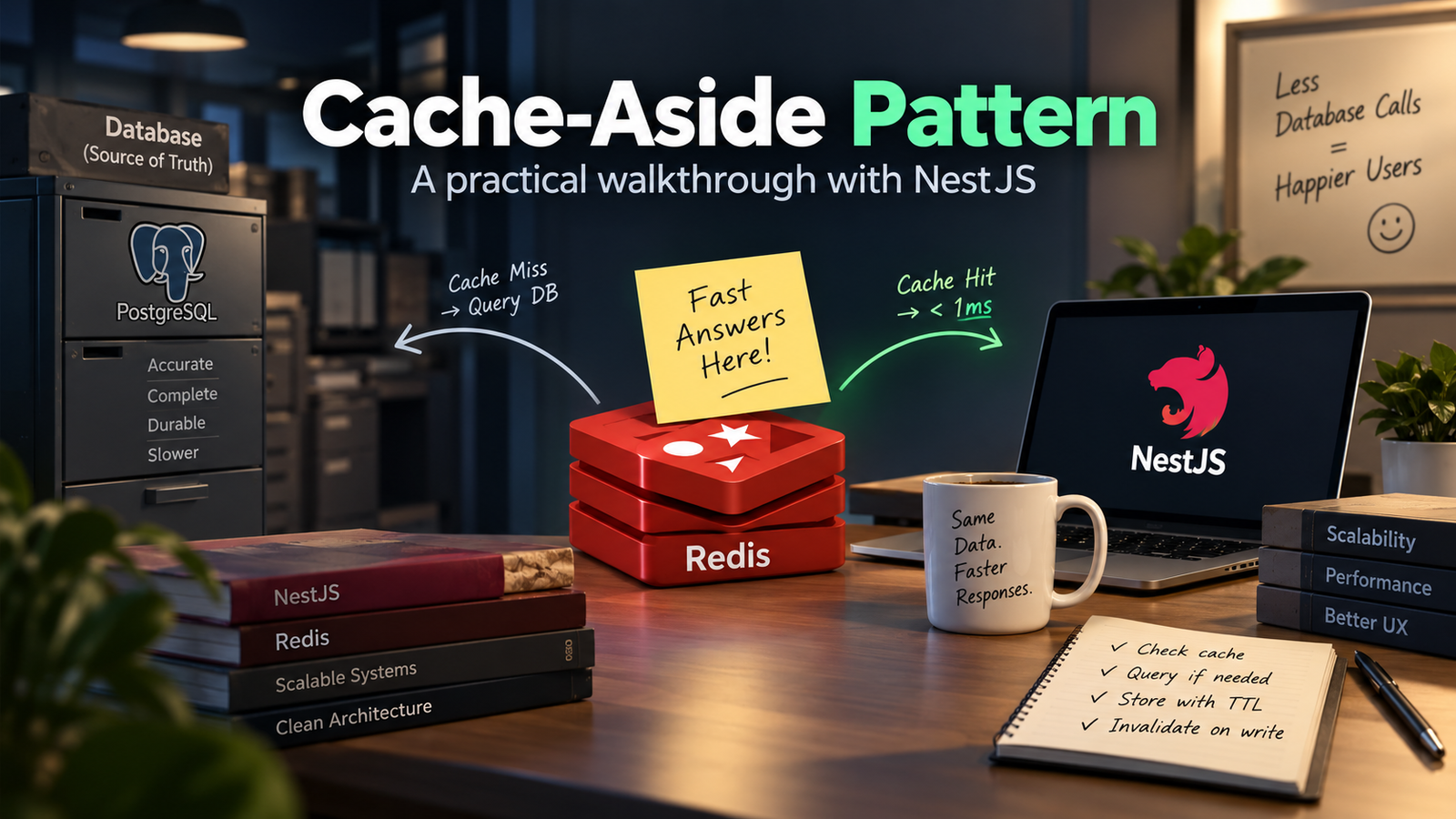
    Imagine you work in a busy office. Every time someone asks you “What’s on today’s lunch menu?” you walk to the basement, unlock the filing cabinet, flip through hundreds of folders, find the answer, walk back upstairs — and give it to them.

    Now imagine 500 people asking the same question, one after another.

    That’s exactly what happens when every API request hits the database directly. The database is powerful, but it lives in the basement. Every trip takes time.

    The real numbers

    A typical PostgreSQL query with joins takes 20–200ms. A Redis read takes under 1ms. For a popular endpoint hit thousands of times per minute, that gap compounds into real infrastructure cost and user-perceived slowness.

    We needed a sticky note on the desk.

    Enter Redis — The Sticky Note on Your Desk

    Redis is an in-memory data store. Unlike a database that reads from disk, Redis keeps everything in RAM — the fastest storage a computer has.

    If the database is a filing cabinet in the basement, Redis is a sticky note pinned right on your monitor.

    🗄️Filing Cabinet (Database)

    Accurate, complete, durable — but slow to reach. Every query walks to the basement and back.

    📝Sticky Note (Redis)

    Limited space, not permanent — but instantly readable. The answer is right there on your desk.

    When someone asks for data, we check the sticky note first. If it has the answer — done. If it doesn’t — we walk to the filing cabinet, get the answer, and write it on a new sticky note for next time.

    This pattern is called Cache-Aside, and it is the backbone of how our system works.

    Cache-Aside: The Pattern in Action

    Cache-Aside (also called lazy loading) has a simple decision tree on every read request:

    Here’s what this looks like in a NestJS service, using ioredis:

    async getUserProfile(userId: string): Promise<UserProfile> {
      const cacheKey = `user:profile:{userId}`;
    
    // 1. check the sticky note
      const cached = await this.redis.get(cacheKey);
      if (cached) {
        return JSON.parse(cached); // cache HIT - instant
      }
      // 2. walk to the filing cabinet
      const user = await this.prisma.user.findUnique({
        where: { id: userId },
        include: { profile: true, preferences: true },
      });
      if (!user) throw new NotFoundException();
      // 3. write a new sticky note (TTL = 5 minutes)
      await this.redis.setex(cacheKey, 300, JSON.stringify(user));
      return user;
    }

    Setting an Expiry — When the Sticky Note Goes Stale

    A sticky note from last Tuesday about today’s lunch menu is worse than useless — it’s wrong. Cached data has the same problem. The fix is a TTL (Time-To-Live): Redis automatically deletes the key after a set number of seconds.

    Choosing the right TTL is a judgment call, not a formula. Ask: how bad is it if this data is stale?

    ⚠ The TTL trap

    Setting TTL too high means users see stale data long after it changed. Setting it too low means your cache hit rate collapses — you’re back to hammering the database. Start conservative (shorter), measure your cache hit ratio, and extend TTLs for data where staleness hasn’t caused problems.

    What We Cache and What We Don’t

    Not every piece of data belongs on the sticky note. After running this in production, here’s the rough split:

    • Good cache candidates: shared data read by many users (public profiles, catalog items, config values, computed aggregates). High read frequency, low write frequency.
    • Bad cache candidates: user-specific transactional data (cart contents, payment status, unread count). Stale state here causes real bugs.
    • Never cache: authentication tokens (they have their own lifecycle), passwords, anything where a stale read has security implications.

    🗒️The Sticky Note Rule

    You’d write “Today’s lunch menu” on a sticky note. You wouldn’t write “Current bank balance” on one. Same principle.

    Cache Invalidation — The Hard Part

    There are only two hard things in computer science: naming things and cache invalidation. The joke is old because the problem is real.

    When a user updates their profile, the cached version is now wrong. You have two options:

    Option A: Delete on Write (Active Invalidation)

    When the user writes new data, delete the corresponding cache key immediately. The next read will miss the cache, hit the DB, and repopulate with fresh data.

    async updateUserProfile(userId: string, dto: UpdateProfileDto) {
      const updated = await this.prisma.user.update({
        where: { id: userId },
        data: dto,
      });
    // tear the sticky note off the board
      await this.redis.del(`user:profile:{userId}`);
      return updated;
    }

    Option B: Let TTL Handle It (Passive Expiry)

    Do nothing on write. The cache key will expire naturally after its TTL. Until then, some users see stale data. This is simpler but only works when eventual consistency is acceptable.

    In practice, we use both: active deletion for data the user just changed (they expect to see their own update immediately), TTL expiry for everything else.

    Structuring Redis Keys

    Redis has no schema, no tables, no enforced structure. The key is literally just a string. This is powerful and dangerous — without a naming convention, a large codebase becomes impossible to reason about.

    We use a colon-delimited namespace pattern:

    // {resource}:{identifier}:{optional-variant}
    user:profile:42           // user profile, id=42
    post:detail:slug-abc      // post by slug
    post:list:page:1          // paginated list, page 1
    leaderboard:weekly        // weekly leaderboard aggregate
    config:feature-flags      // app-wide feature flags

    Consistent naming lets you do pattern-based operations. For example, when a post is updated you can delete all cached variants: DEL post:detail:slug-abc and any list pages that might include it.

    What This Looks Like in Production

    After rolling out Cache-Aside on our most-hit endpoints, here’s what changed:

    💡 The 84% hit rate

    84% of reads never touched the database at all. That’s 84% of your queries answered in under 1ms instead of 180ms. The remaining 16% — cache misses and write paths — hit the DB as normal. The database got dramatically easier to run as a result.

    What I’d Do Differently

    Things I learned the hard way:

    • Serialize carefully. We had a bug where Date objects came back from Redis as strings. JSON doesn’t have a date type — always deserialize and validate the shape coming out of cache, not just going in.
    • Handle Redis being down. Redis is fast and reliable, but it can go down. Your cache layer should fail open: if Redis throws an error, log it and fall through to the database rather than crashing the whole request.
    • Watch for cache stampede. If a popular key expires and 500 requests arrive simultaneously, they all miss the cache and all hit the DB at once. A mutex or probabilistic early revalidation prevents this.
    • Don’t cache errors. If the database returns an error (user not found, timeout), don’t cache that result. The error might be transient — caching it means every subsequent request gets a wrong answer for the full TTL.

    The main lesson: Redis doesn’t make your database faster. It makes your application ask the database less often. That distinction matters — it means Redis is a layer on top of your existing data layer, not a replacement for it. The database stays the source of truth; Redis is just the very fast first stop on the way there.

    Once you internalize that, the whole design becomes obvious: keep the sticky note in sync with the filing cabinet, and your office runs like it has ten employees instead of two.


    Caching is one of those things that feels like premature optimization until the day you actually need it — and then it feels like the most obvious thing in the world. The Cache-Aside pattern is a good default starting point: lazy, simple, composable, and easy to reason about even months later when you’ve forgotten why you wrote the code.

    If you’re seeing slow API responses and your database query times look fine, the answer is probably a cache layer. Start small — one endpoint, one key pattern — and measure before expanding.